AI assistant: Ask & Agent
Chat about your document, or let Agent mode propose edits as an inline diff you accept or reject, per change. Bring your own model: OpenAI, Gemini, Ollama, llama.cpp.
MarkLite renders your Markdown beautifully while keeping the raw text one keystroke away. Live preview, split view, math, diagrams, and an optional AI assistant, in a fast native app, not a browser tab.
No account. No telemetry. Your files stay on your machine.
Features
A focused writing surface with the power features pros expect, and a few you won't find elsewhere.
Chat about your document, or let Agent mode propose edits as an inline diff you accept or reject, per change. Bring your own model: OpenAI, Gemini, Ollama, llama.cpp.
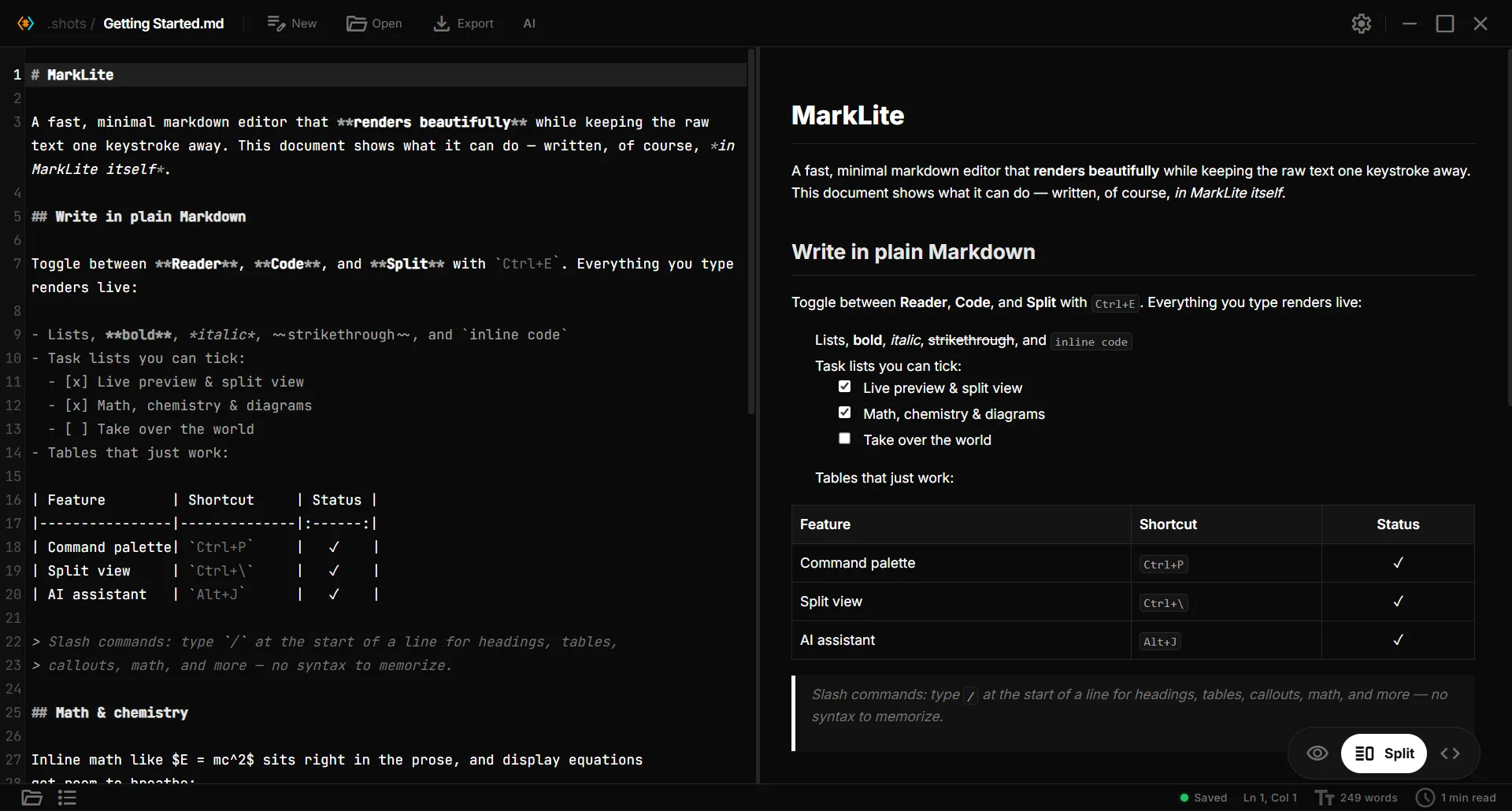
Toggle rendered reading, raw code, and a split view with bidirectional scroll sync.
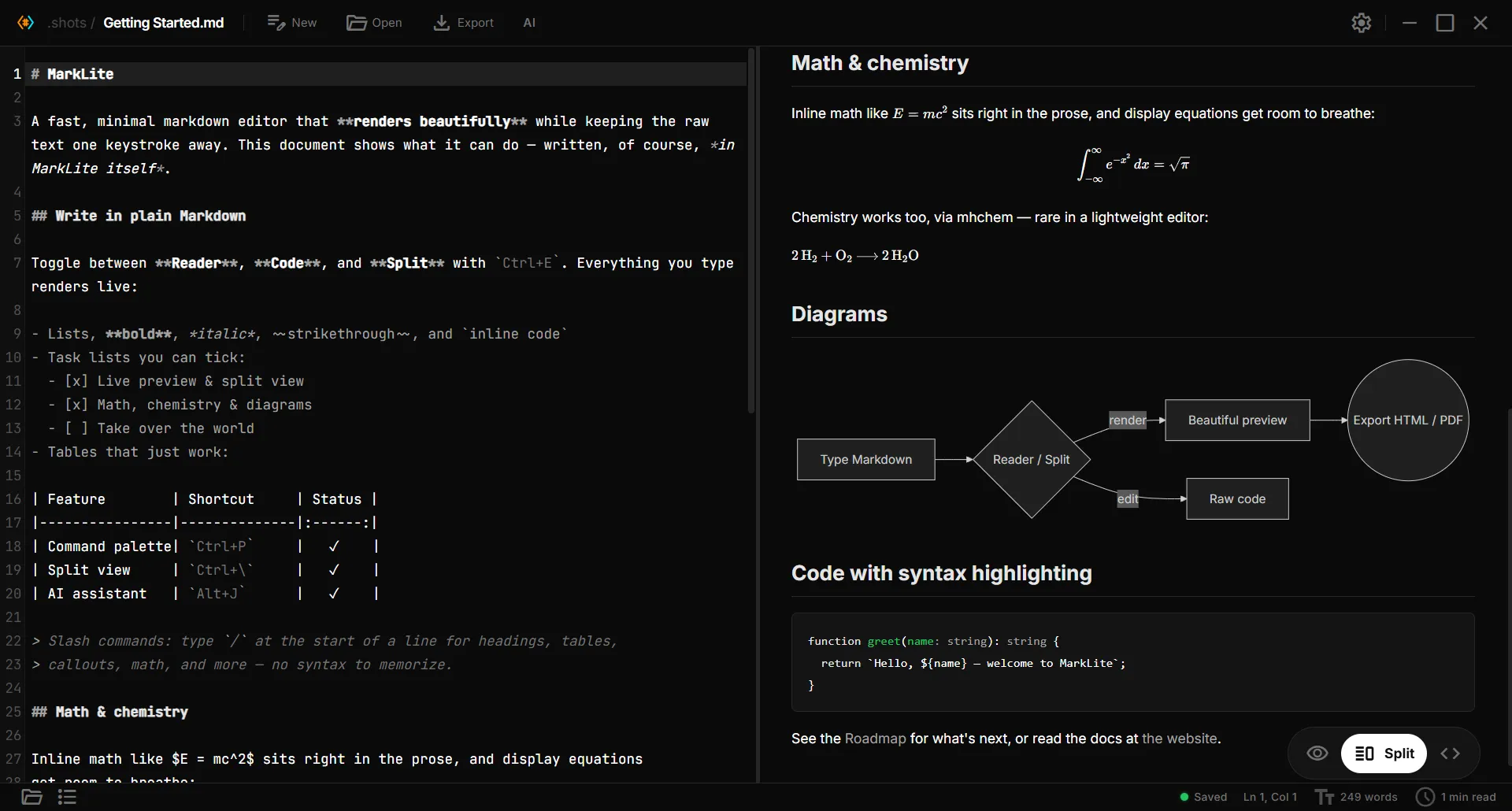
KaTeX for inline and block math, plus mhchem for equations, ions, and isotopes, rare in a lightweight editor.
Flowcharts, sequence, class, state, gantt, ER, and mindmaps render right in the preview.
Type / for headings, lists, tables, math, callouts, and more. No syntax to memorize.
[[other-file]] links resolve in the folder, with an outline pane that follows your cursor.
Ctrl+P to jump to any command, file, heading, or toggle. Find & Replace with regex too.
Four themes (Dark, Light, Paper, GitHub), five fonts, three sizes, focus & typewriter modes.
Built with Tauri + Rust: small, fast, offline. No accounts, no tracking, files stay local.
See it in action
Equations, chemical reactions, diagrams, and code: all rendered live in the preview as you write, with the raw source one keystroke away.
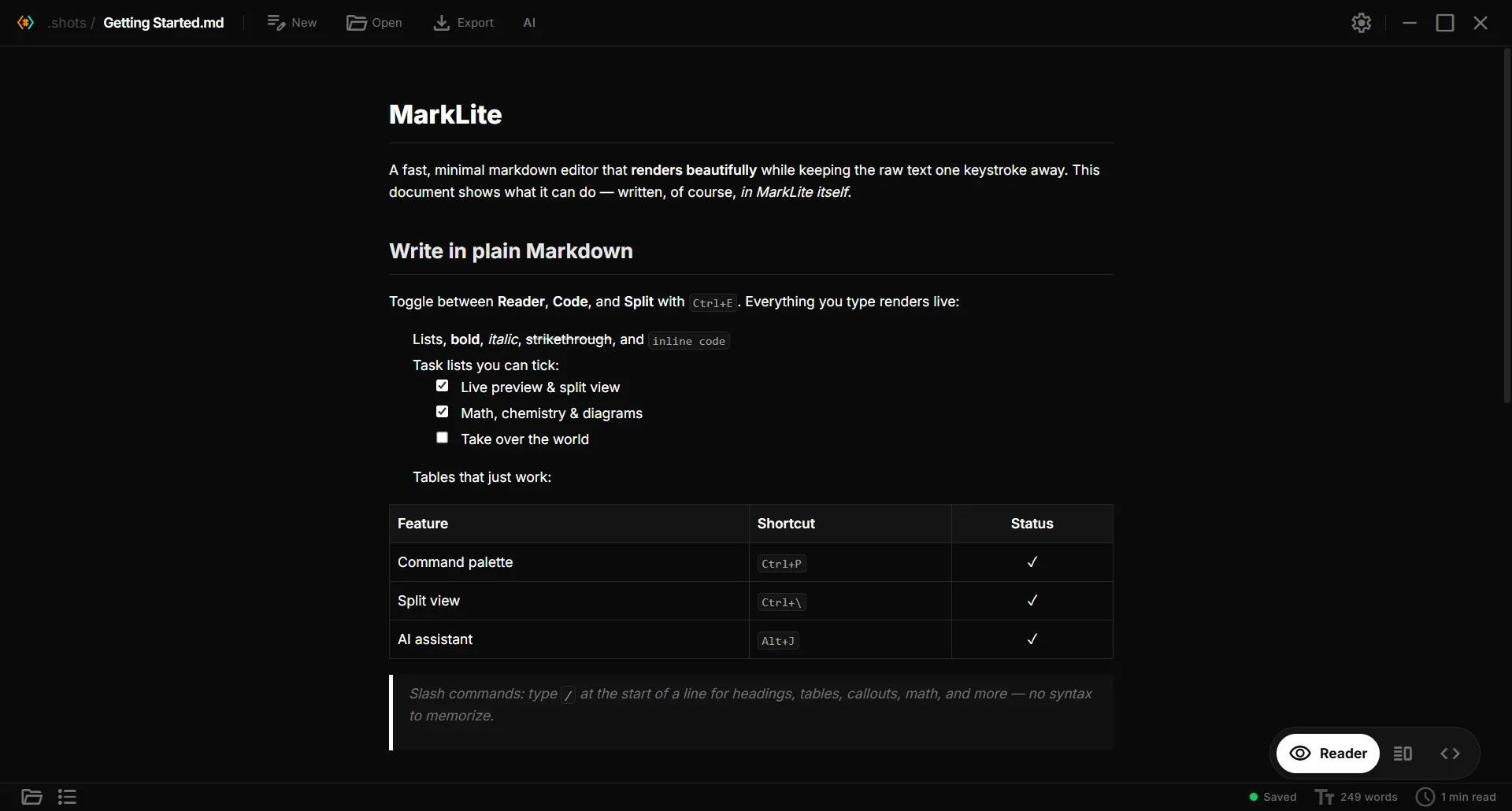
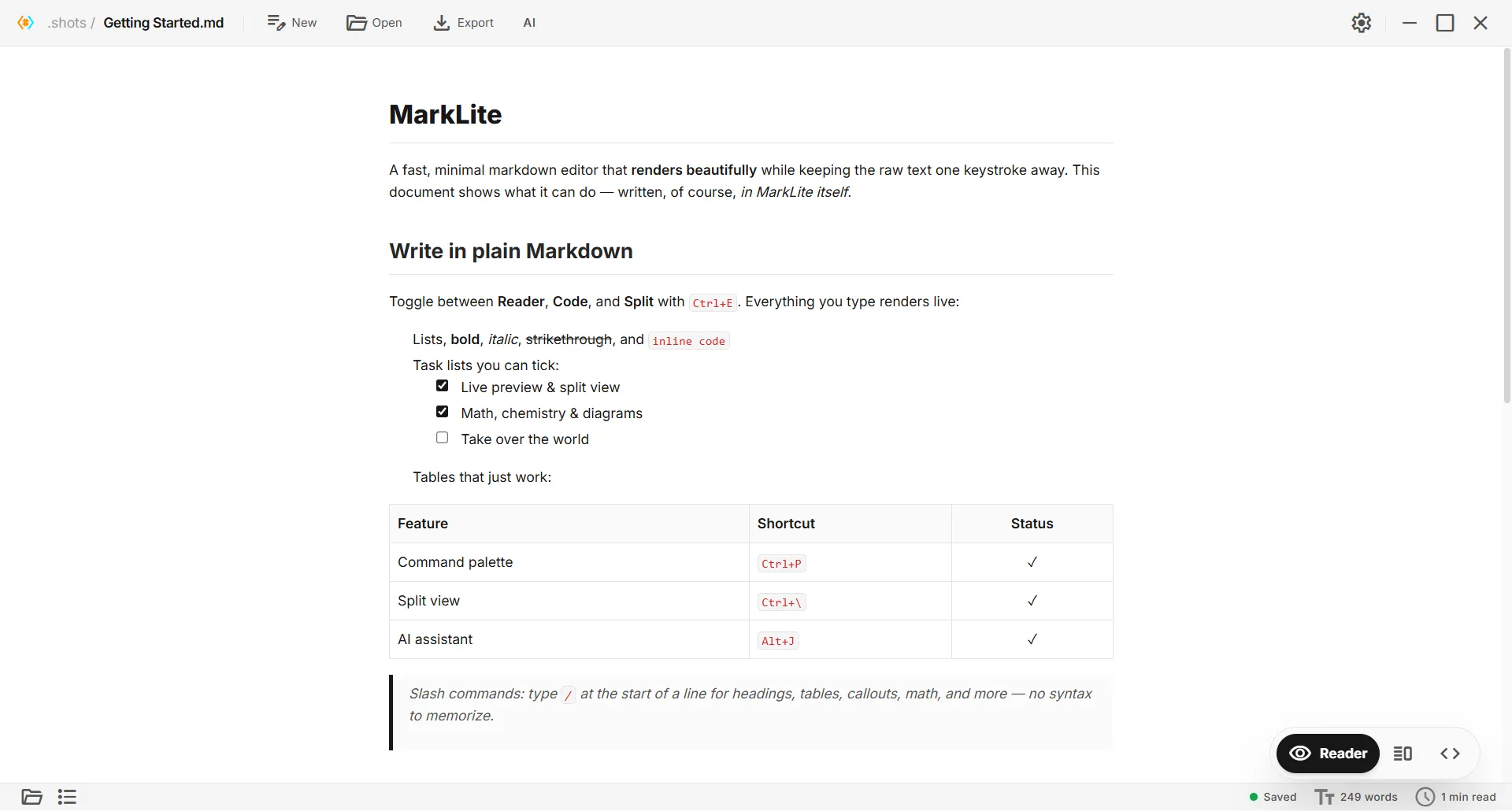
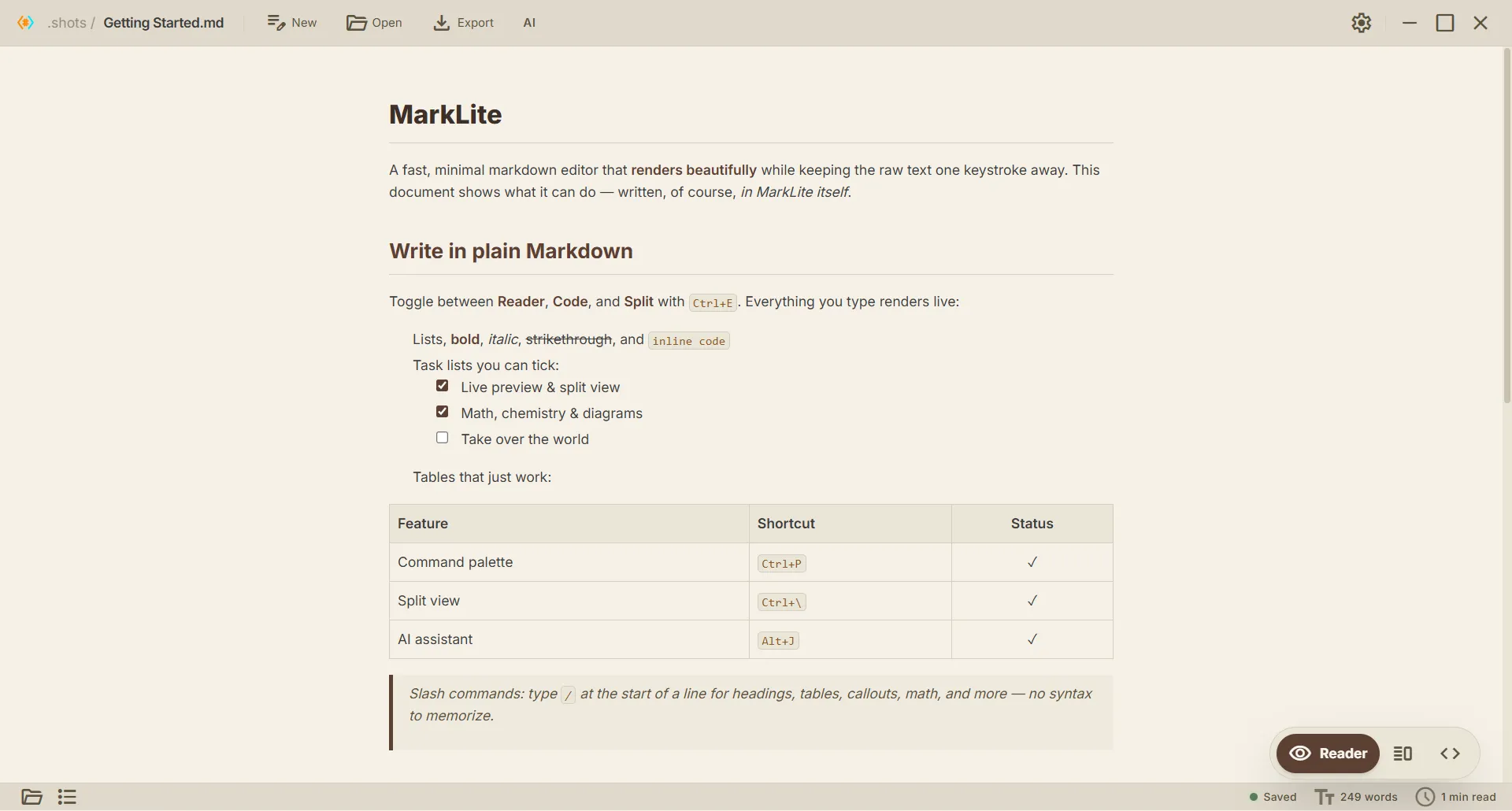
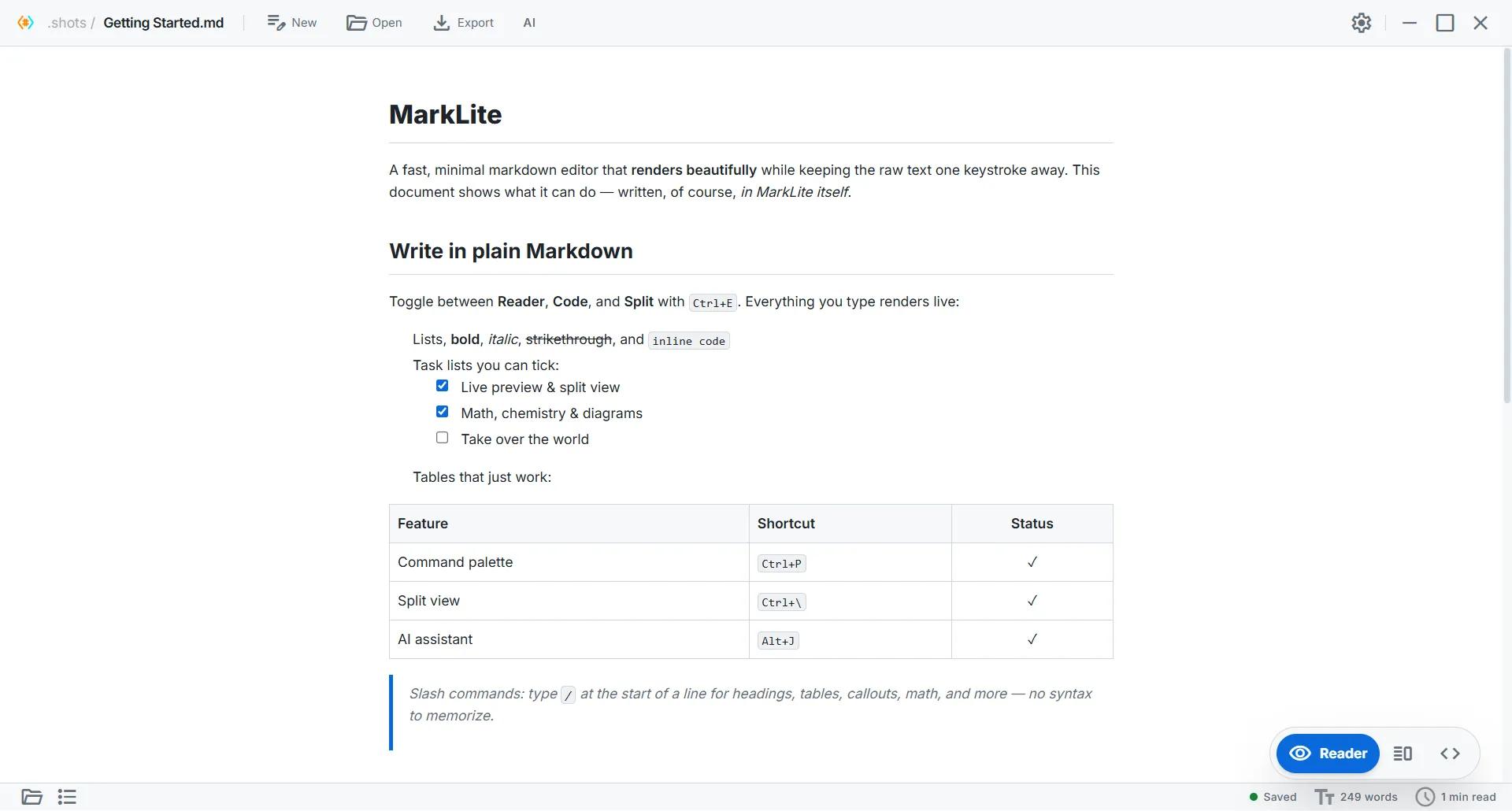
Themes & typography
Dark, Light, Paper, and a pixel-accurate GitHub theme, plus focus and typewriter modes for when you really need to think.
Power-user touches
The small things that add up: a keyboard-first command palette and a folder-aware file explorer.
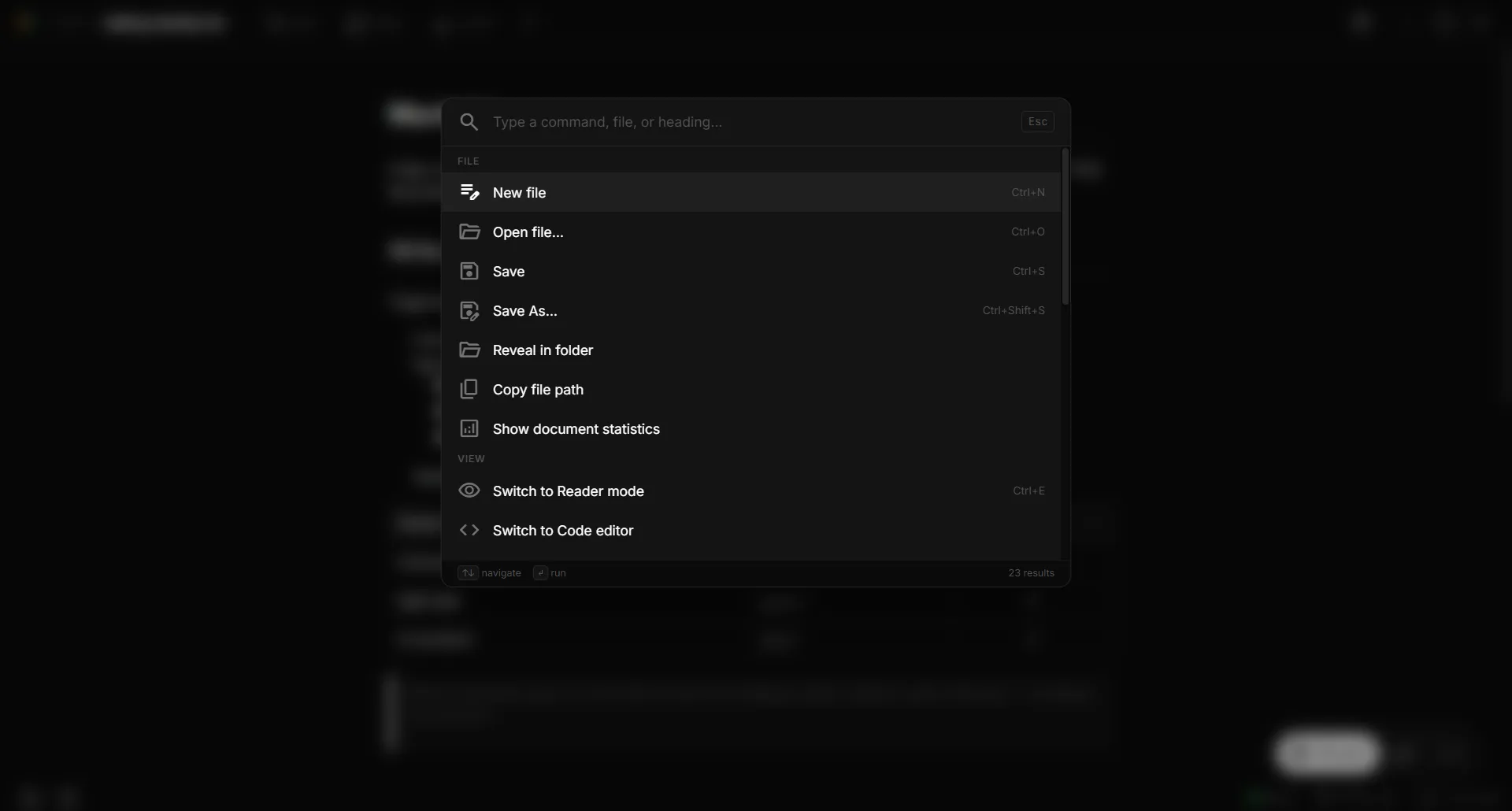
Ctrl+P to run any command, jump to a file or heading, and toggle modes, without leaving the keyboard.
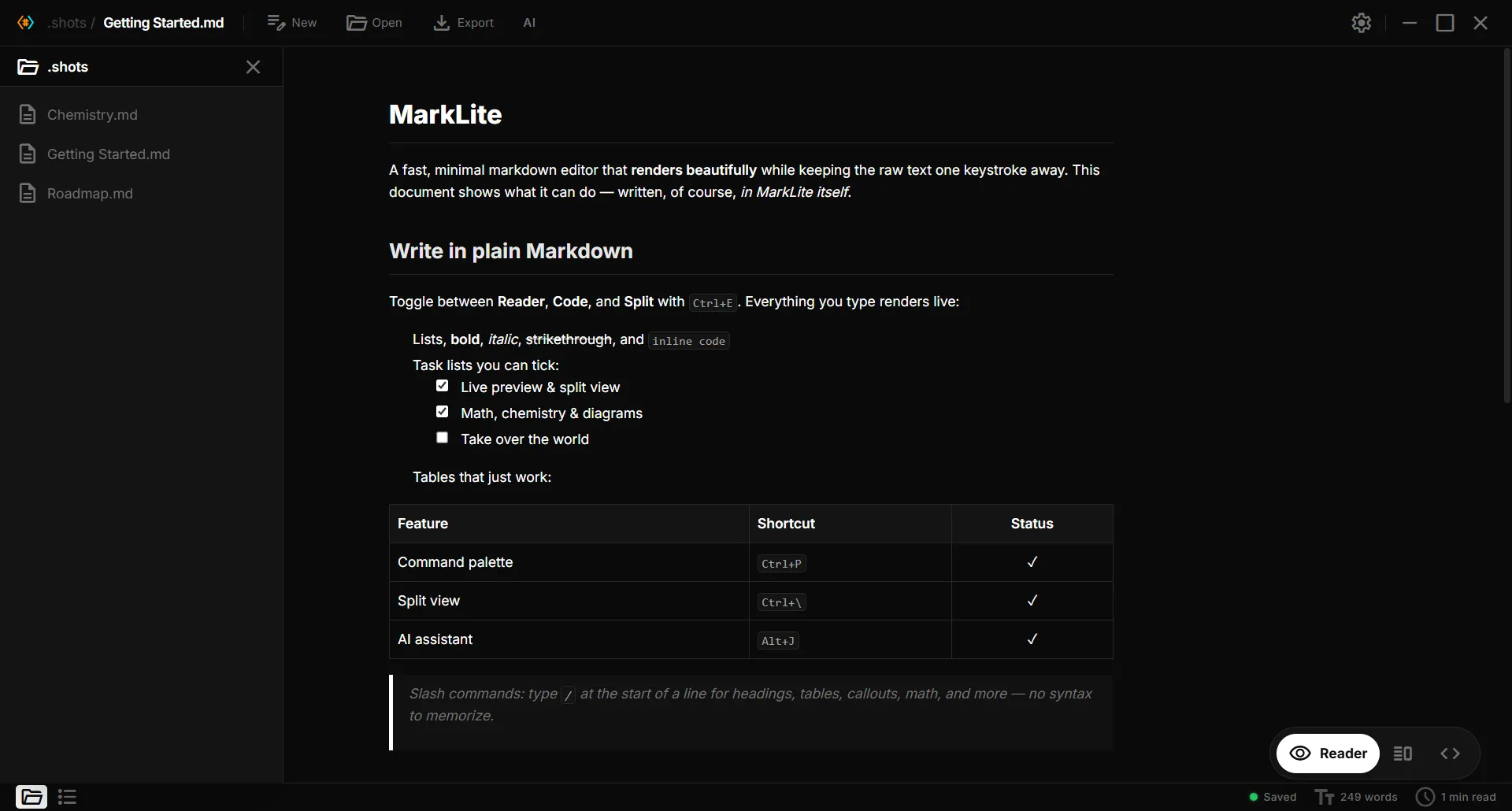
Browse the current folder, hop between notes, and follow [[wikilinks]] that resolve right in your vault.
AI assistant
Most editors bolt on a chatbot. MarkLite's Agent proposes real edits to your document as a diff you stay in control of. Nothing is written until you say so.
Chat about the current document: summarize, find, or explain. Answers stream in live.
Describe a change in plain language; edits appear as an inline diff you review and accept or reject, per change, or all at once.
Select text and rewrite, shorten, expand, continue, or translate it in place.
Any OpenAI-compatible endpoint: OpenAI, Gemini, Ollama, llama.cpp. Your key lives in the OS keychain.
Green = added · red = removed · review every edit before it touches your file.
Download
Free for personal use. Grab the latest release for your platform. No account required.
Windows 10 / 11 (64-bit).
Download for Windows.exe installer · .msi
Debian/Ubuntu, Fedora, or any distro via AppImage.
Download for Linux.deb · .rpm · .AppImage
No prebuilt binary yet. Build from source in a couple of commands.
Build from sourceTauri supports macOS. Help us ship a build!
Open source
MarkLite is source-available and free for personal use. Star it, file an issue, or pick
up a good first issue.
FAQ
Yes. Free for personal use, with no account and no telemetry. It's source-available; commercial use requires written permission from the author.
Prebuilt binaries ship for Windows (10/11) and Linux (.deb, .rpm, .AppImage). macOS isn't prebuilt yet, but Tauri supports it, you can build from source in a couple of commands.
No. MarkLite is a native app that works fully offline and your files stay on your machine. The only network calls are ones you opt into, like connecting an AI provider.
Only if you want them. The AI assistant is optional and bring-your-own-model: point it at any OpenAI-compatible endpoint (OpenAI, Gemini, Ollama, llama.cpp). Your key is stored in the OS keychain. Everything else works without it.
GitHub Flavored Markdown, KaTeX math, mhchem chemistry, Mermaid diagrams, syntax-highlighted code, task lists, tables, wikilinks, slash commands, and frontmatter, all rendered live as you type.
It's built with Tauri + Rust instead of bundling a whole browser like Electron apps do, so it starts fast and stays light on memory.