saqlain-abbas.md / blog3 June 2026, corrected 3 October 2026
Paperling: you open a file and write
As a developer, I live in markdown files: documentation, notes, project READMEs. For years, opening a .md file outside an IDE meant one of two bad options. Either raw text full of syntax clutter in Notepad, or something heavy like Obsidian with its vaults, graphs and plugins, which is total overkill when all I wanted was to open one file and edit it.
That gap bothered me enough to build Paperling. You open a file and write. The page renders properly, and the raw text stays one keystroke away.
What it is
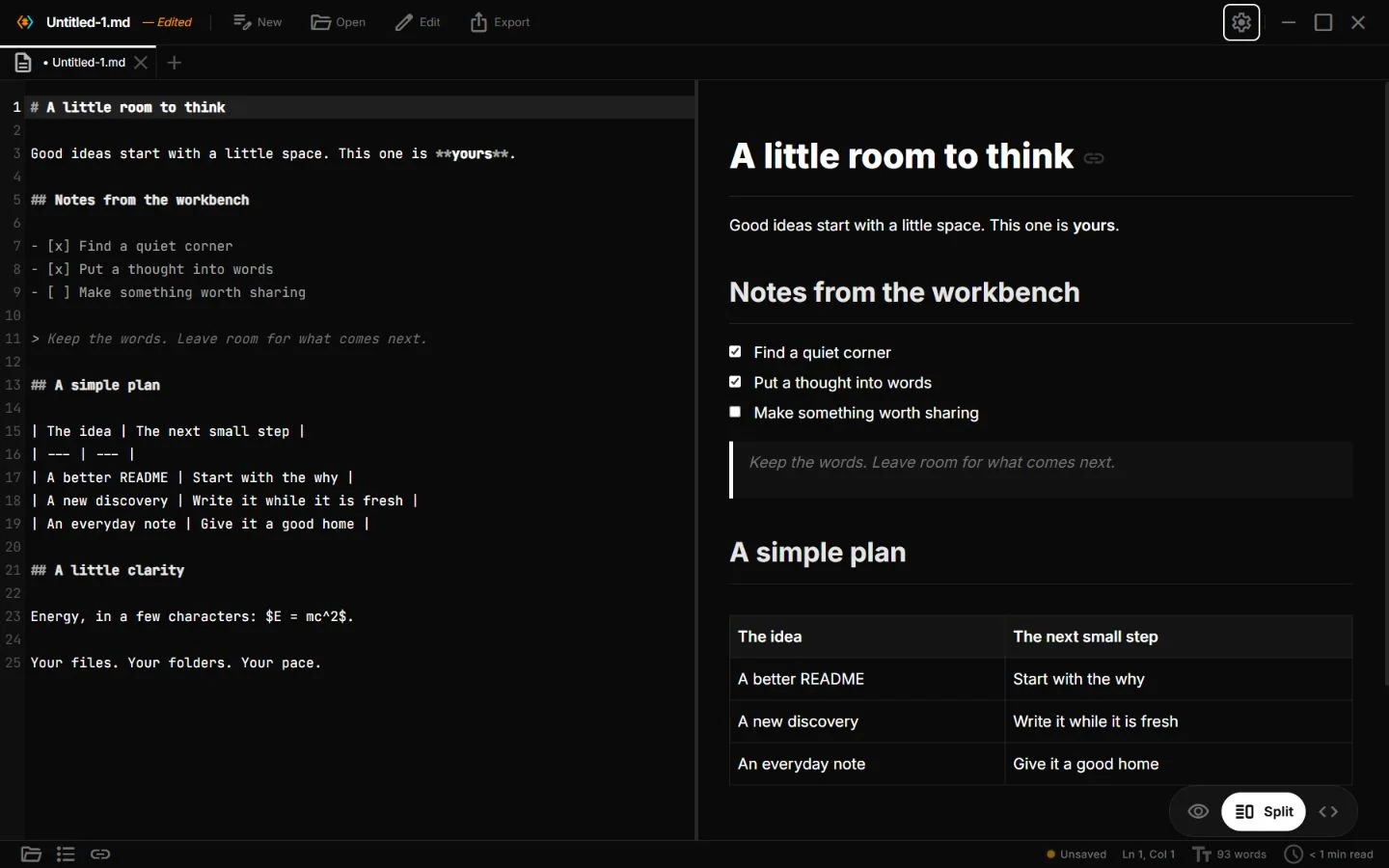
Paperling is a minimal markdown editor built with Tauri, React and TypeScript. When I first wrote this note it ran on Windows and Linux. It now ships for Windows, macOS, Linux and Android.
The philosophy is simple. Paperling works on plain files, with no vault, database, sync service or plugin to configure. Inside that limit it has the things I actually reach for every day:
Reader, Code and Split views.
Ctrl+Etoggles, andCtrl+\opens the split with scroll sync in both directions.Live math and chemistry. KaTeX and mhchem render
$equations$and$\ce{2 H2 + O2 -> 2 H2O}$as you type.Mermaid diagrams: flowcharts, sequence diagrams, gantt charts and mindmaps, all rendered in the preview.
Slash commands. Type
/at the start of a line for headings, tables, math blocks, callouts and more.A command palette on
Ctrl+Pthat searches commands, files, headings and toggles from one place.
The preview is the product
Most small editors treat the preview as an afterthought. In Paperling it is the core of the app.
GitHub Flavored Markdown, with task lists, tables and strikethrough.
Task checkboxes you can click. Toggling one in the preview writes back to the source file.
Visual table editing. A toolbar appears when your caret is in a table, with buttons to add or delete rows and columns, set alignment and tidy the layout.
Smart paste. Paste a URL onto selected text and it becomes a link, rich HTML converts to markdown, and rows copied from a spreadsheet become a table.
Wikilinks.
[[other-file]]resolves to files in the same folder.Frontmatter shown as an editable Properties card, not a wall of YAML.
Heavy renderers like KaTeX and Mermaid are lazy-loaded. They reach the preview only when your document uses them, so a plain document does not pay for them.
An AI that proposes, never imposes
The feature I'm most proud of is the AI assistant, because of how it respects your document.
Open the AI panel with Alt+J and you get a chat docked to the right. It has two modes.
Ask mode is for talking about the current document: summarize it, find something, ask questions. Answers stream in live.
Agent mode is for changes. You describe one in plain language, and the AI's edits appear as an inline diff in the editor, green for added and red for removed. You review and accept or reject each change, or all at once. Nothing touches your file until you approve.
There is also selection assist. Select any text, press Alt+J, and rewrite, shorten, expand, continue or translate it in place.
Paperling is bring-your-own-model. It works with any OpenAI-compatible endpoint, such as OpenAI, Google Gemini, Ollama or llama.cpp running locally, and your API key lives in the OS keychain, not a config file. There is no subscription and no telemetry.
The stack
The frontend is React, TypeScript and Tailwind CSS. The backend is Rust with Tauri v2. The build is Vite.
Tauri was the obvious choice over Electron. The Rust backend handles file watching, the OS keychain and native dialogs, and the app ships without a bundled Chromium.
What was hard
Scroll sync in both directions was harder than it looks. Markdown source lines don't map linearly to rendered heights: a one-line Mermaid block can render as a tall diagram. Keeping both panes aligned while either one scrolls took careful anchor-point mapping between source positions and rendered elements.
External-change detection matters for an editor that opens files other tools also touch. Paperling watches the open file and, when it changes on disk, asks whether to reload or keep your version. It does not silently overwrite anything, and no edits are lost.
The inline diff system for AI edits had to feel native to the editor. Proposed changes render as decorations directly in the text, with accept and reject controls on each change. That meant building a small change-tracking layer on top of the editor state, in place of a separate diff view.
Polish is a feature
The details add up: seven themes, five bundled fonts, a focus mode that dims the lines you are not on, a typewriter mode that keeps the caret centered, a searchable shortcut cheatsheet on ?, recent files on the welcome screen, and auto-save. Visible focus rings and prefers-reduced-motion are respected throughout.
Paperling is open source, Apache 2.0 licensed. If you've ever opened a markdown file in Notepad and winced, Paperling is for you.