The free screen recorder for Windows.
Hit record.
Make it Vuoom.
Turn everyday screen recordings into demos worth watching. Automatic zoom, smooth motion, and easy edits. All on your PC.
100% free. No watermark. No account. Just create.
01 / FROM FIRST CLICK TO FINAL CUT
Big ideas.
Small learning curve.
You bring the thing worth showing.
Vuoom helps you show it beautifully.
Start with a simple recording.
Pick a window, your whole screen, or just a region. Bring your microphone and webcam along, too.
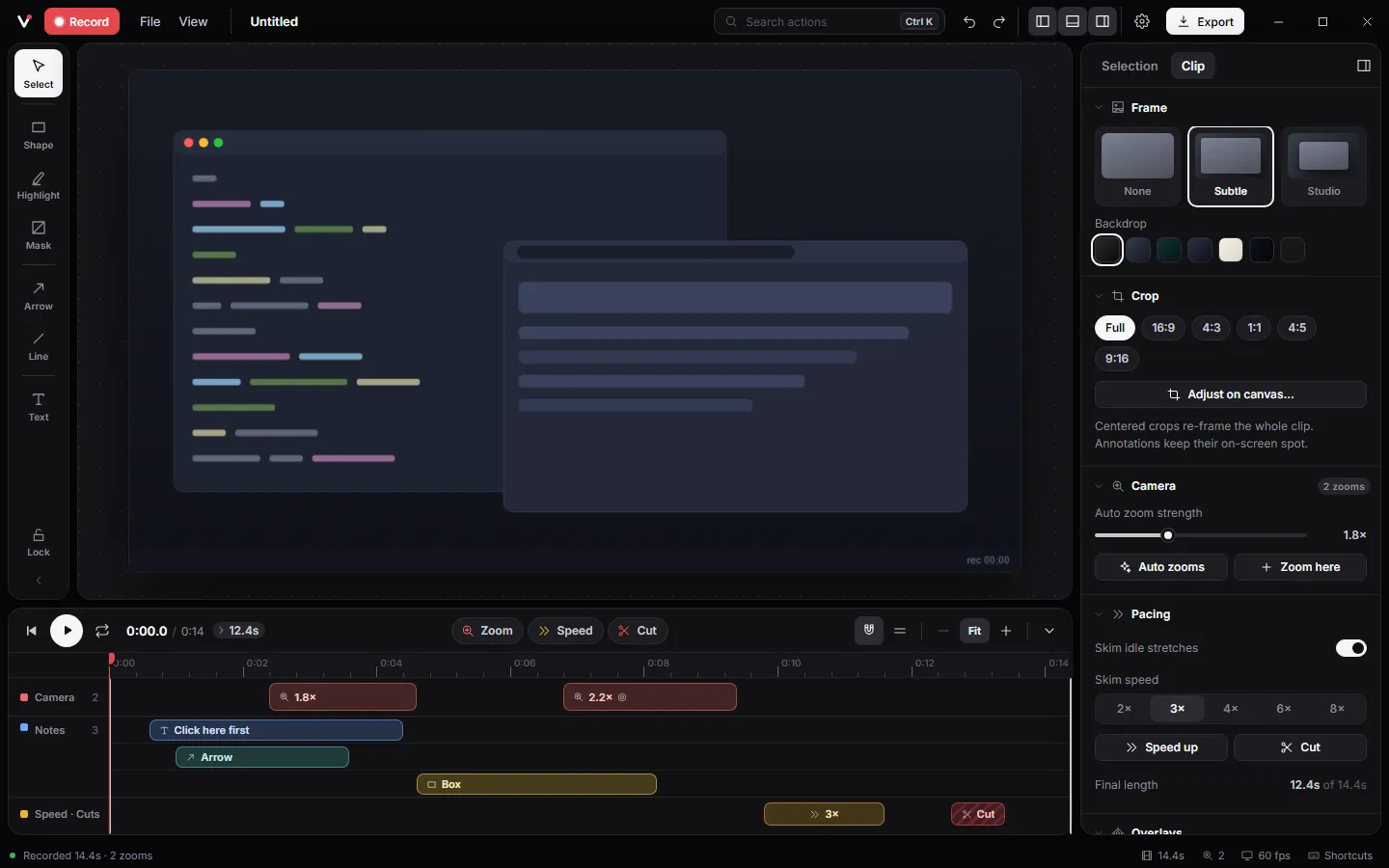
The quick-start guide ↗A little polish. A big difference.
Adjust your zooms, cut the waiting, and add arrows or text. Everything has its place on the timeline.
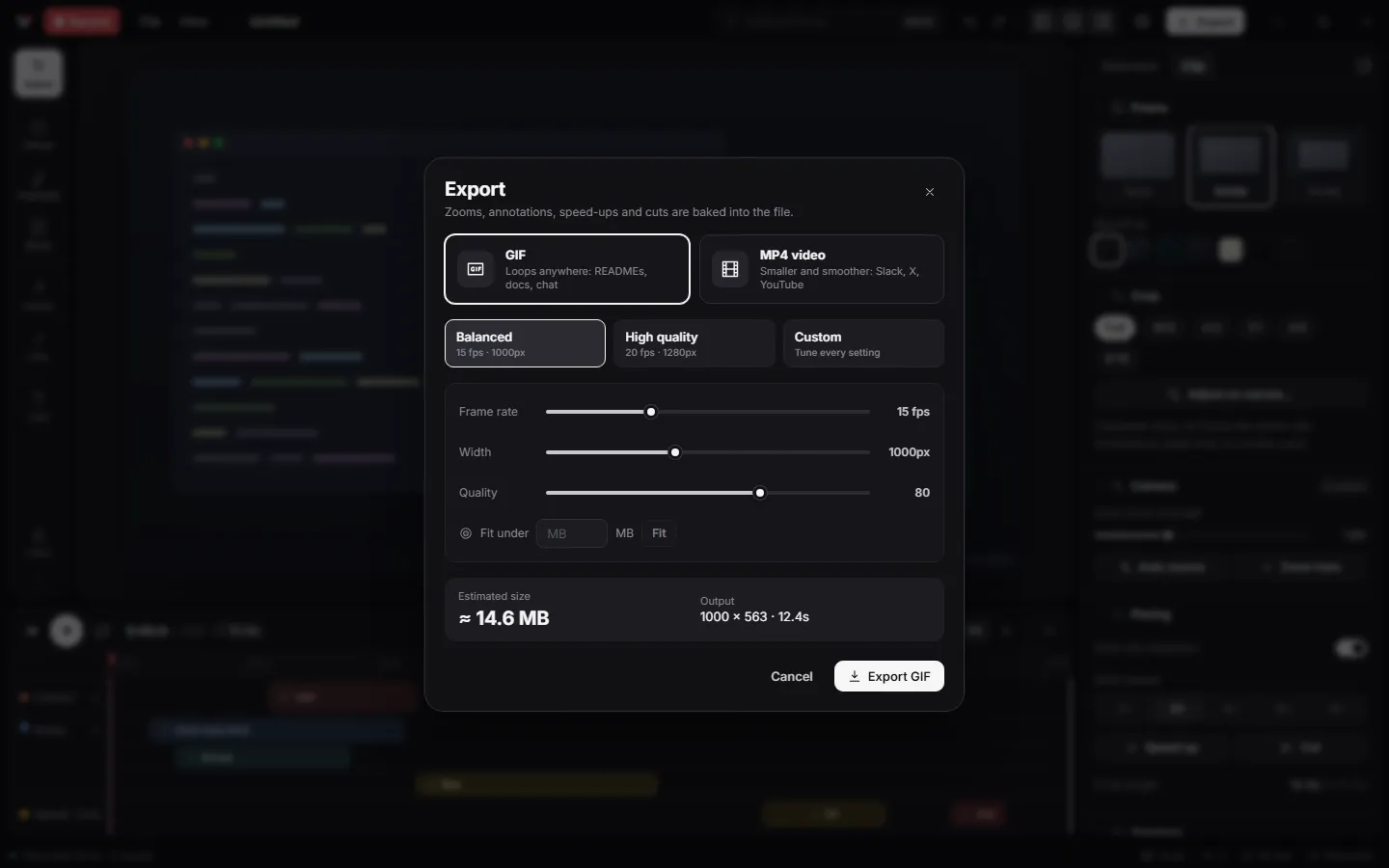
The quick-start guide ↗Made to leave the timeline.
Export an MP4 for your next tutorial or a compact GIF for your README. Preview the file size before you share.
The quick-start guide ↗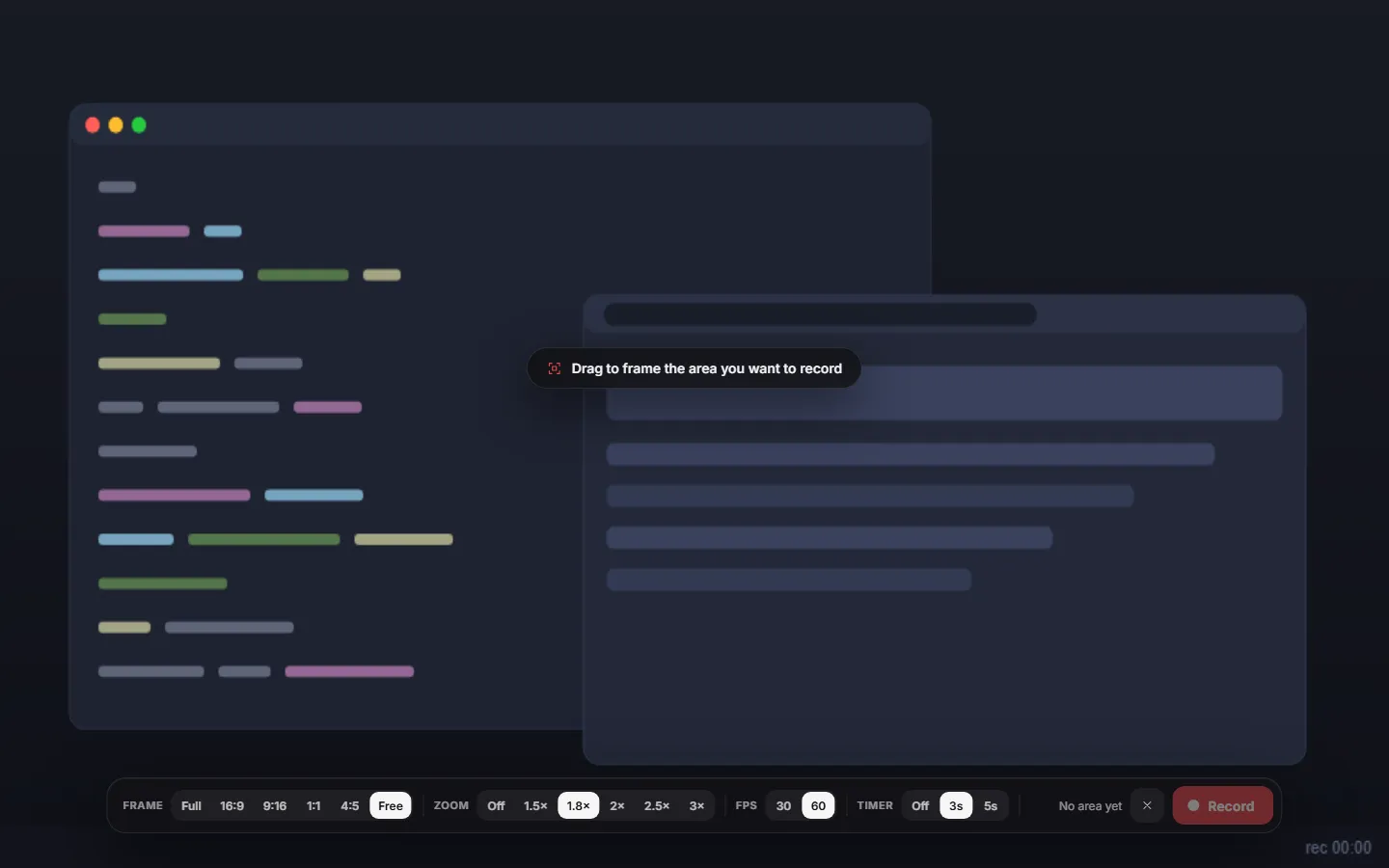
02 / DIRECT THEIR ATTENTION
The right detail.
At the right moment.
Tiny buttons shouldn't need a big explanation. Vuoom automatically zooms into your clicks, so viewers can follow every step.
Meet automatic zoom ↗Drag to see the difference →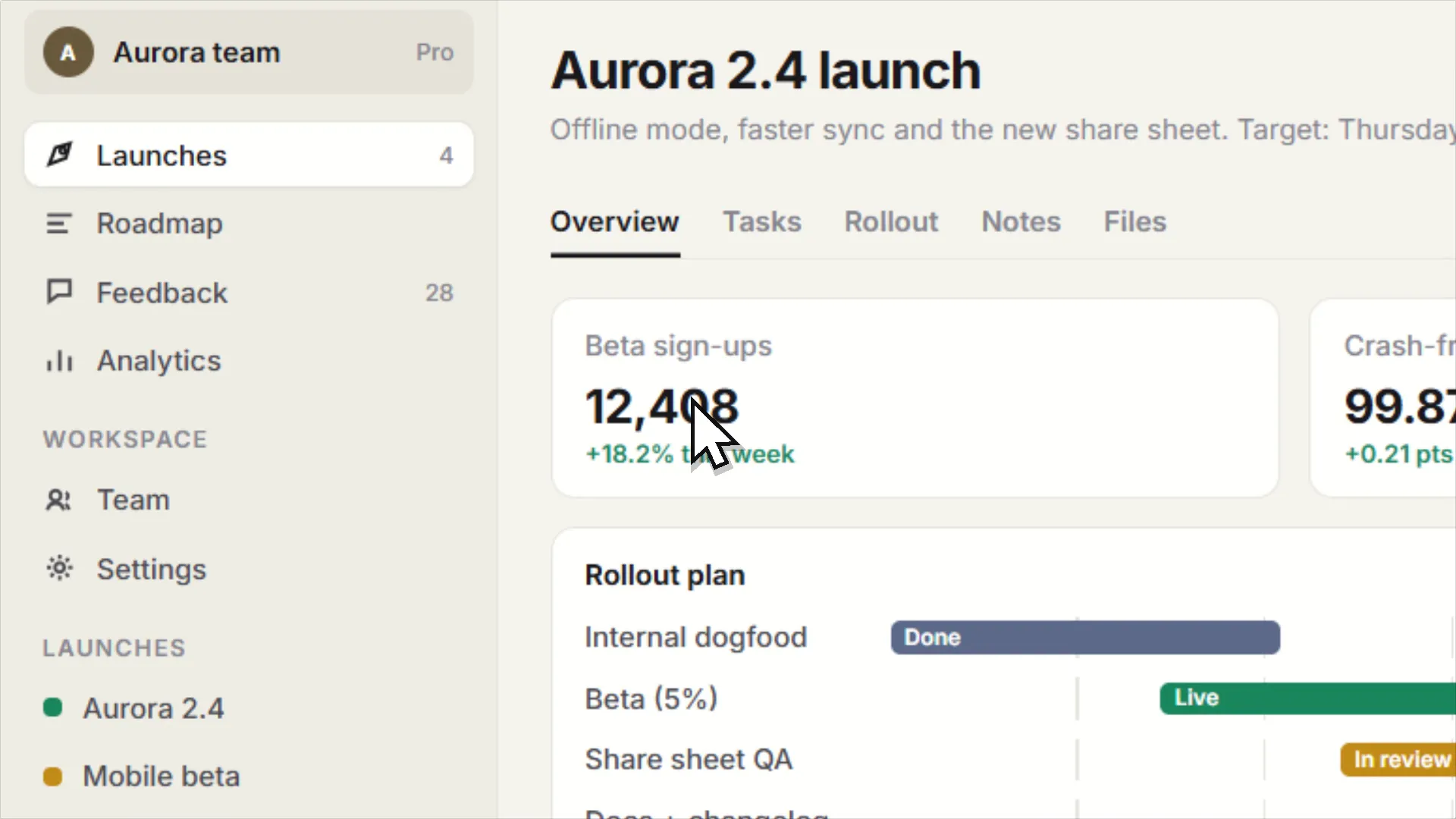 Vuoom
Vuoom Flat recording
SAME SCREEN. A WHOLE DIFFERENT STORY.
03 / THE GOOD STUFF IS INCLUDED
A creative toolkit.
Without the price tag.
Your voice.
Loud and clear.
Microphone, system audio, voice clean-up and a webcam bubble for the human touch.
LET EVERYONE FOLLOW ALONGWords that
stay with you.
Generate captions locally after a one-time model download. Export subtitles as an SRT file.
Small files. Big impression.
A crisp MP4 for your walkthrough. A looping GIF for your next GitHub update. Ready when you are.
MADE FOR MAKING. OPEN TO EVERYONE.
Your recordings belong to you.
Record, edit and export on your own computer. No cloud uploads, no subscription, no watermark. Free and open source under Apache-2.0.
Is Vuoom really free?
Yes. Vuoom is free and open source under the Apache License 2.0. There is no paid tier, no trial, no watermark and no account.
Does Vuoom upload my recordings?
No. Recording, editing, voice clean-up, captions and export all run on your computer. Vuoom has no account, no cloud and no telemetry.
Does it work on Mac or Linux?
Not today. Vuoom is built on Windows Graphics Capture and Media Foundation, which is what keeps it small and fast. Windows 10 and 11 are supported.
What can I export?
An optimised GIF or an H.264 MP4 up to 60 fps with an AAC soundtrack, plus an .srt caption file. A live size estimate and a fit-under-N-MB helper keep files small enough for GitHub and Slack.
THAT'S YOUR CUE.
Your next great demo
starts with record.
Get Vuoom. It's free.For Windows 10 & 11 · Made to stay on your PC