GIF and MP4 export
GIF or MP4, small on purpose.
See the file size before you export. Paste it into GitHub, Slack or a changelog.
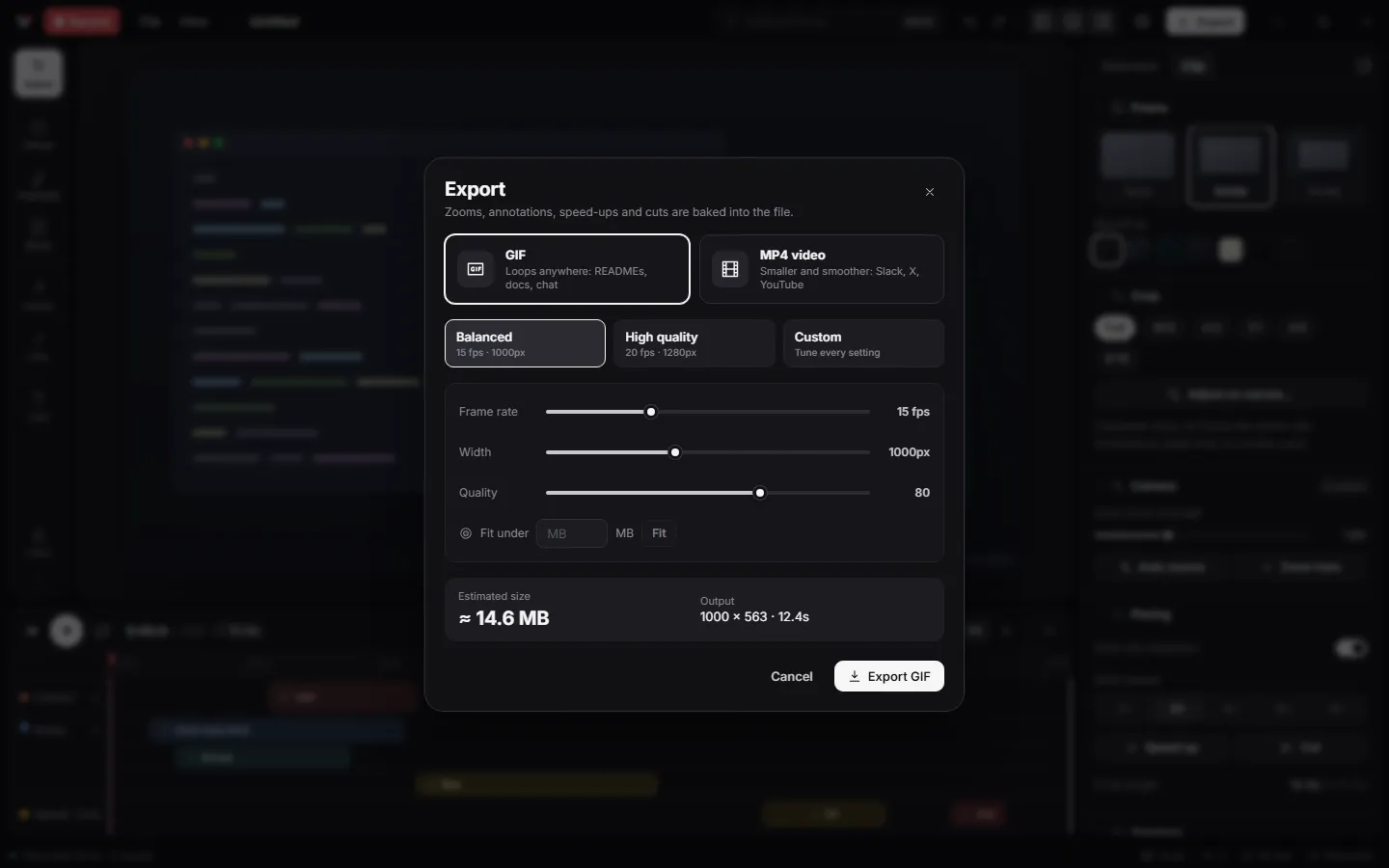
How it works.
- 1
Press Ctrl+E.
- 2
Pick GIF or MP4 and a preset.
- 3
Press Copy and paste the file anywhere.
Details
A live size estimate
The export card shows the file size as you change width, frame rate or length.
Fit under N MB
Tell Vuoom the limit, such as 10 MB for GitHub, and it fits the GIF under it.
MP4 on your GPU
H.264 up to 60 fps with an AAC soundtrack, encoded by NVIDIA, Intel or AMD hardware when available.
Captions included
Burn captions into the video, or save an .srt file timed to your export.
Questions.
How do I record a GIF for a GitHub README?
Record with Vuoom, trim, export as GIF with the fit-under-10-MB helper, then press Copy and paste into the README editor on GitHub.
Is there a watermark?
Never. Vuoom is free and open source.
Which is smaller, GIF or MP4?
MP4 is usually far smaller for the same length. GIF plays everywhere without a player, which is why READMEs and chats still use it.